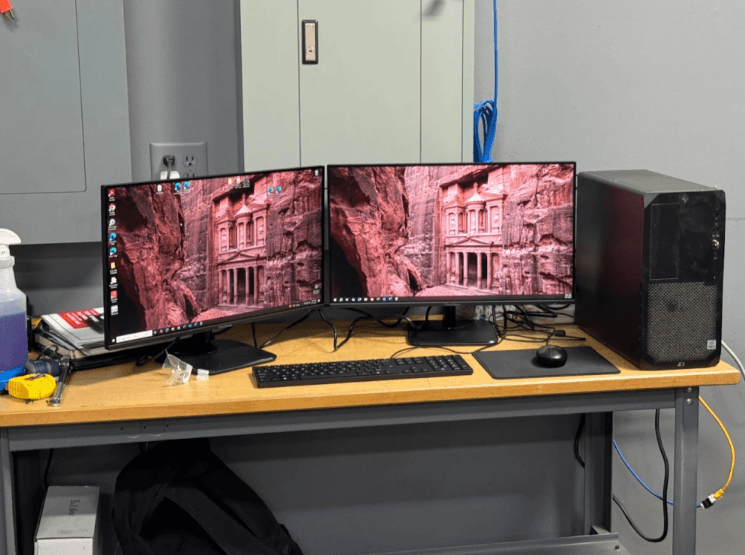
Technology is wonderful until it freezes five minutes before a deadline. For homes and small businesses, reliable IT support can turn computer problems into manageable maintenance. A good support plan looks beyond one broken screen or slow startup and considers security, backups, networks, updates, repair options, and the way people actually use their devices.
Layer 2 Computers serves Dayton, Ohio, and the Warren County area with managed IT, cybersecurity, data backup, VOIP phones, network solutions, remote support, and computer repair. That mix matters because modern technology problems rarely stay in one lane. A sluggish computer may involve software, hardware, malware, storage, updates, or a tired hard drive quietly waving a white flag.
1. Treat Slow Computers as Symptoms, Not Personalities
A slow computer is not just “getting old” every time. Common causes include too many startup programs, limited memory, failing storage, outdated software, malware, overheating, or a cluttered operating system. IT support can help identify whether the machine needs cleanup, repair, replacement parts, or a more serious diagnosis.
For home users, that can mean faster browsing, easier schoolwork, and fewer error messages. For businesses, speed affects productivity. A computer that wastes ten minutes every morning can steal hours over a month.
2. Keep Security Updates on a Regular Schedule
Updates are not glamorous, but they are important. System patches, browser updates, antivirus definitions, and application fixes often address security weaknesses. Delaying them can leave devices exposed to threats that already have known fixes.
The trick is balancing updates with productivity. Businesses may need updates scheduled to avoid interrupting work. Home users may need help when updates fail, loop, or create confusing prompts. Professional IT support helps make updates less like roulette and more like routine maintenance.
3. Back Up Data Before Trouble Arrives
Backups are boring until they become heroic. Family photos, tax files, business documents, client information, and school projects should not exist in only one place. Hardware can fail, laptops can be stolen, files can be deleted, and ransomware can lock data.
A strong backup plan usually includes automatic backups, secure storage, and recovery testing. Testing matters because a backup that cannot be restored is more like a comforting rumor than a real safety net. IT support can help choose backup methods that fit the user, device, and risk level.
For customers needing help with home computers, business devices, upgrades, troubleshooting, or laptop repair, local support can make technology problems easier to understand and fix.
4. Protect Networks From More Than Bad Passwords
Network support is a major part of IT service because nearly everything depends on connectivity. Computers, phones, cloud apps, cameras, payment systems, and shared files all rely on stable networking. Weak Wi-Fi, poor router placement, old equipment, or insecure settings can create frustration and risk.
Good network support can improve speed, reliability, and coverage. For businesses, it can also help separate guest access from internal systems, support remote work, and reduce downtime. At home, it can make video calls less choppy and stop the printer from acting like it joined a witness protection program.
5. Watch for Malware, Popups, and Strange Behavior
Malware does not always announce itself with flashing warnings. Signs can include popups, browser redirects, unexpected toolbars, slow performance, disabled security tools, unusual emails, or programs that appear without permission. Remote support can often help investigate software issues without requiring an immediate on-site visit.
The best defense combines updated software, reputable security tools, cautious browsing, strong passwords, and awareness. Nobody needs to become a cybersecurity expert overnight, but knowing when something looks suspicious can prevent bigger problems.
6. Use Remote Support for Fast, Practical Fixes
Remote IT support is useful for problems that do not require hands-on hardware work. Technicians may be able to help with software settings, printer issues, email problems, malware checks, pop-ups, error messages, and general troubleshooting through screen sharing or phone guidance.
This saves time because the user does not always need to unplug everything or haul a desktop across town. It is especially useful for small issues that are still big enough to ruin the morning. Remote support is not magic, but when it works, it feels pleasantly close.
7. Know When Hardware Repair Is the Smarter Option
Not every computer problem requires a new device. Repairs or upgrades may extend useful life, especially when the issue involves memory, storage, charging ports, fans, keyboards, screens, or operating system problems. Solid-state drive upgrades, memory improvements, and cleanup services can make some older machines feel noticeably better.
However, the repair should be practical. If a device is old, unsupported, unreliable, or too costly to fix, replacement may be wiser. Professional diagnosis helps customers compare repair value against replacement cost.
8. Separate Business IT From Home Habits
Small businesses often start with consumer habits: shared passwords, personal email, unmanaged devices, and “the important file is on that one laptop.” That may work for a while, but it creates risk as the business grows. Managed IT support can help standardize devices, improve security, organize backups, support users, and reduce downtime.
Business IT should be documented. That includes accounts, passwords, network equipment, software licenses, backup procedures, and support contacts. Documentation keeps knowledge from living only in one person’s head, which is not a disaster recovery plan.
9. Get Help Before Problems Become Emergencies
One of the best IT support tips is to ask for help early. Strange noises, repeated crashes, full storage warnings, battery swelling, overheating, failed backups, or email login problems are all signs worth addressing before they escalate.
For repair, troubleshooting, upgrades, and computer support, PC Repair services can help customers identify issues and decide what happens next.
Preventive support is usually calmer than emergency support. It also gives customers more choices. A failing drive caught early can often be backed up. A dead drive on a Monday morning offers fewer charming options.
10. Build a Technology Plan That Fits Real Life
Good IT support is practical. A home user may need internet, secure devices, backup help, and repair service when something breaks. A business may need managed support, cybersecurity, VOIP phones, data backup, network solutions, and troubleshooting.
Technology should support daily life instead of constantly interrupting it. With a thoughtful support plan, customers can reduce downtime, protect data, improve performance, and make better repair decisions. Computers will still find ways to be weird occasionally, because computers have hobbies, but good IT support makes those moments easier to handle.
See also: Top Safety Mat Suppliers for Your Business
Reliable IT Support Keeps Technology Working for You
The best IT support is not just about fixing a computer after something breaks. It is about helping users prevent problems, protect important data, improve performance, and make smarter decisions about repairs, upgrades, security, and everyday technology use. Whether the need involves a slow laptop, a business network, backup planning, cybersecurity, remote support, or computer repair, dependable IT support helps keep devices useful, secure, and ready for work, school, business, and daily life.